2016
Salewhale
An iOS retail management app for identifying products, creating promotions, and managing promotion details.
Role
UX/UI Designer
Platforms
iPhone
Duration
2 weeks
Scope
UX Structure & Flows, Storyboard, Wireframes, UI Design, Visual Style, Prototyping, Interaction Design
About the Project
Salewhale was a retail management app designed for store managers to identify products and create or manage promotional offers. The product supported barcode scanning, product identification, promotion creation, promotion status tracking, and an approval workflow between store managers and the system administrator.
Challenge
Design a clear mobile workflow for store managers who needed to identify products, create promotions, and manage promotion details directly from the iPhone. The experience also needed to support approval states and different promotion statuses without making the operational flow feel complex.
Approach
I worked on the UX structure, storyboard, wireframes, UI design, visual style, prototyping, and interaction design. The flow was structured around a practical sequence: sign in, review store promotions, scan or create a product manually, add promotion details, and submit the promotion for administrator review.
Outcome
The final product connected product identification, barcode scanning, promotion creation, status management, and administrator approval within one mobile retail workflow.
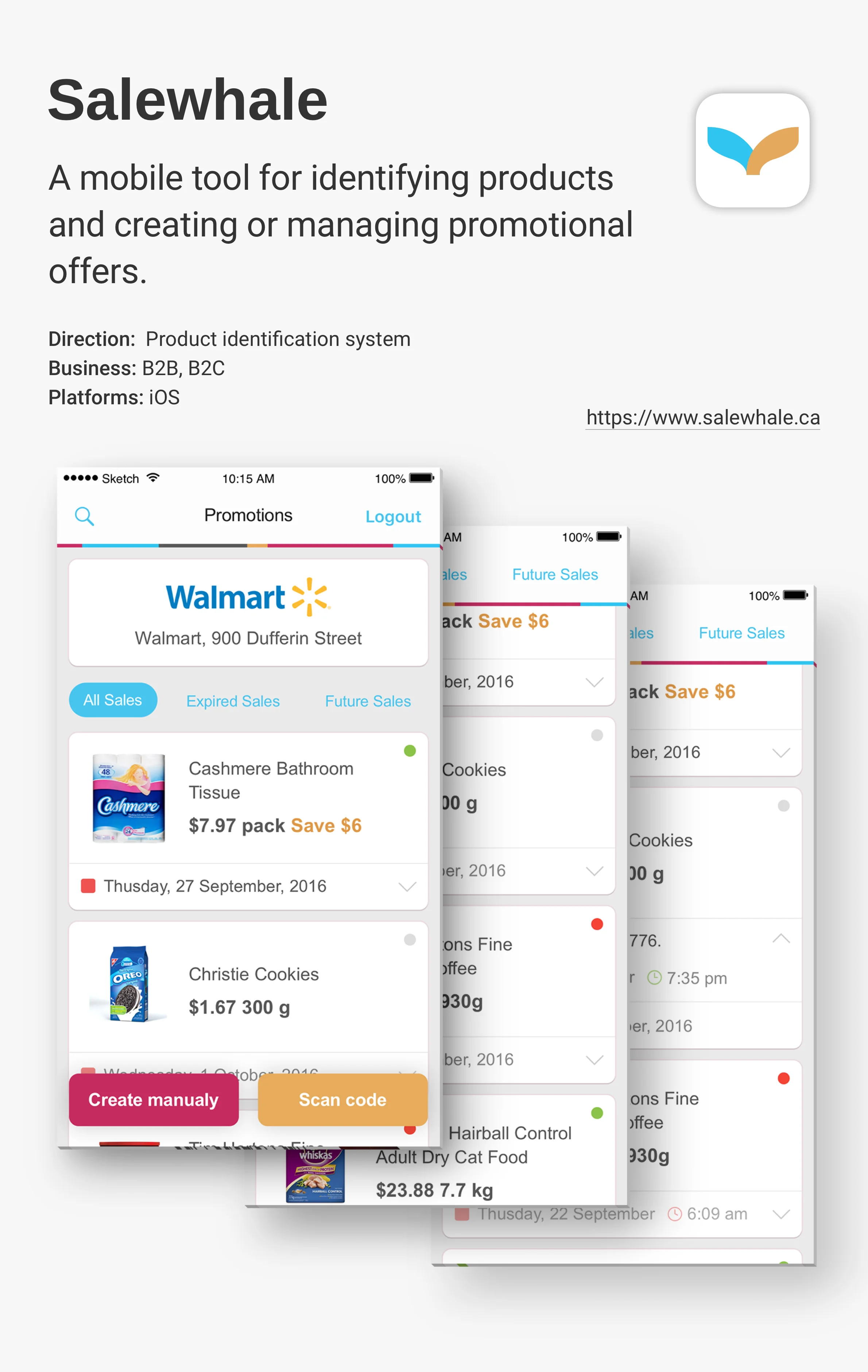
Product Overview
Managing retail promotions
Salewhale was designed for store managers who needed to identify products and manage promotional offers from a mobile device. The app brought together product scanning, promotion creation, store-specific promotion lists, and status tracking in one workflow.
Information Architecture
Mapping the operational flow
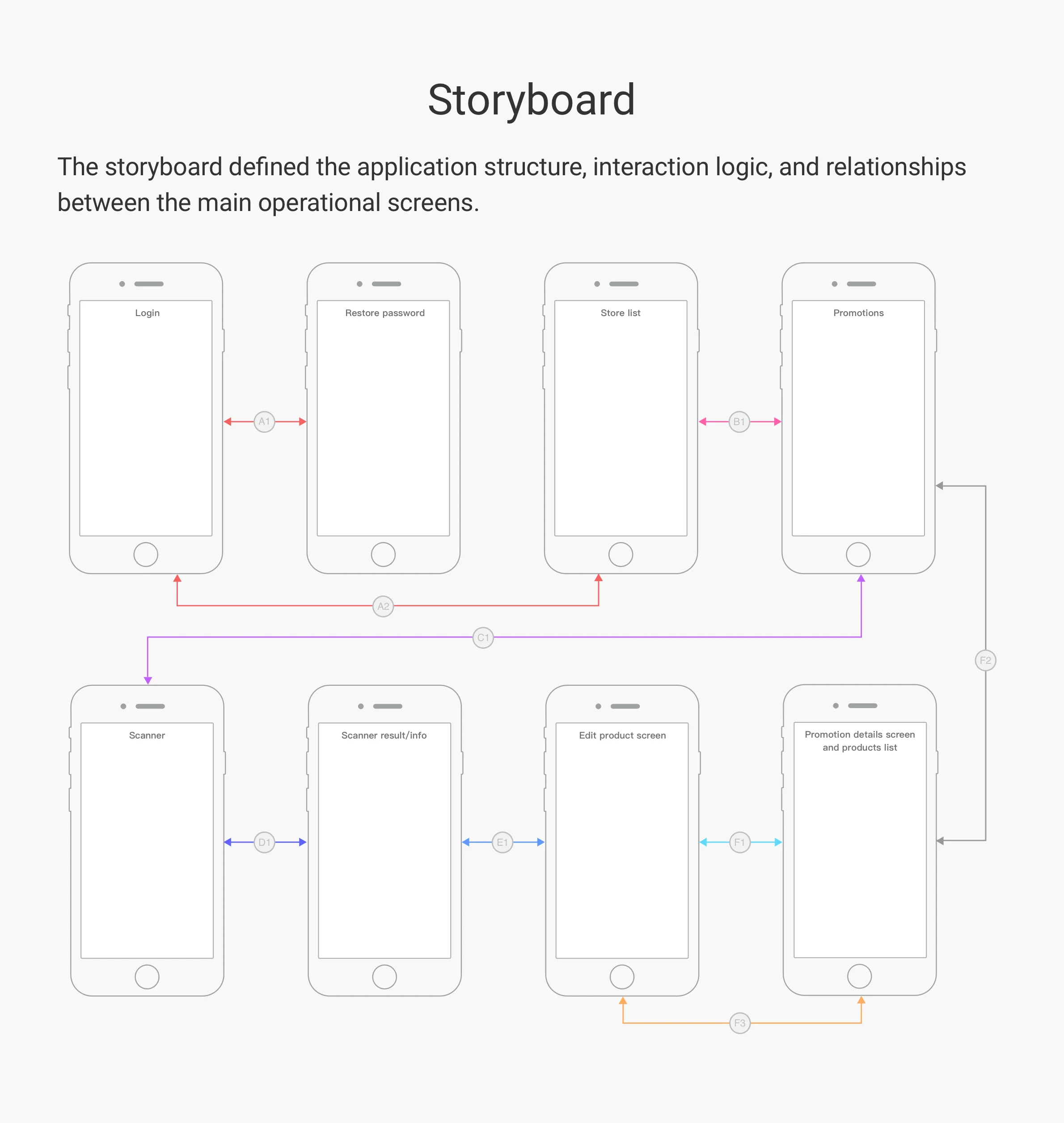
The storyboard defined the relationship between authentication, store selection, promotion management, barcode scanning, product editing, and promotion details. It established the core manager workflow before moving into detailed wireframes and final UI.
Wireframes
From flow to wireframes
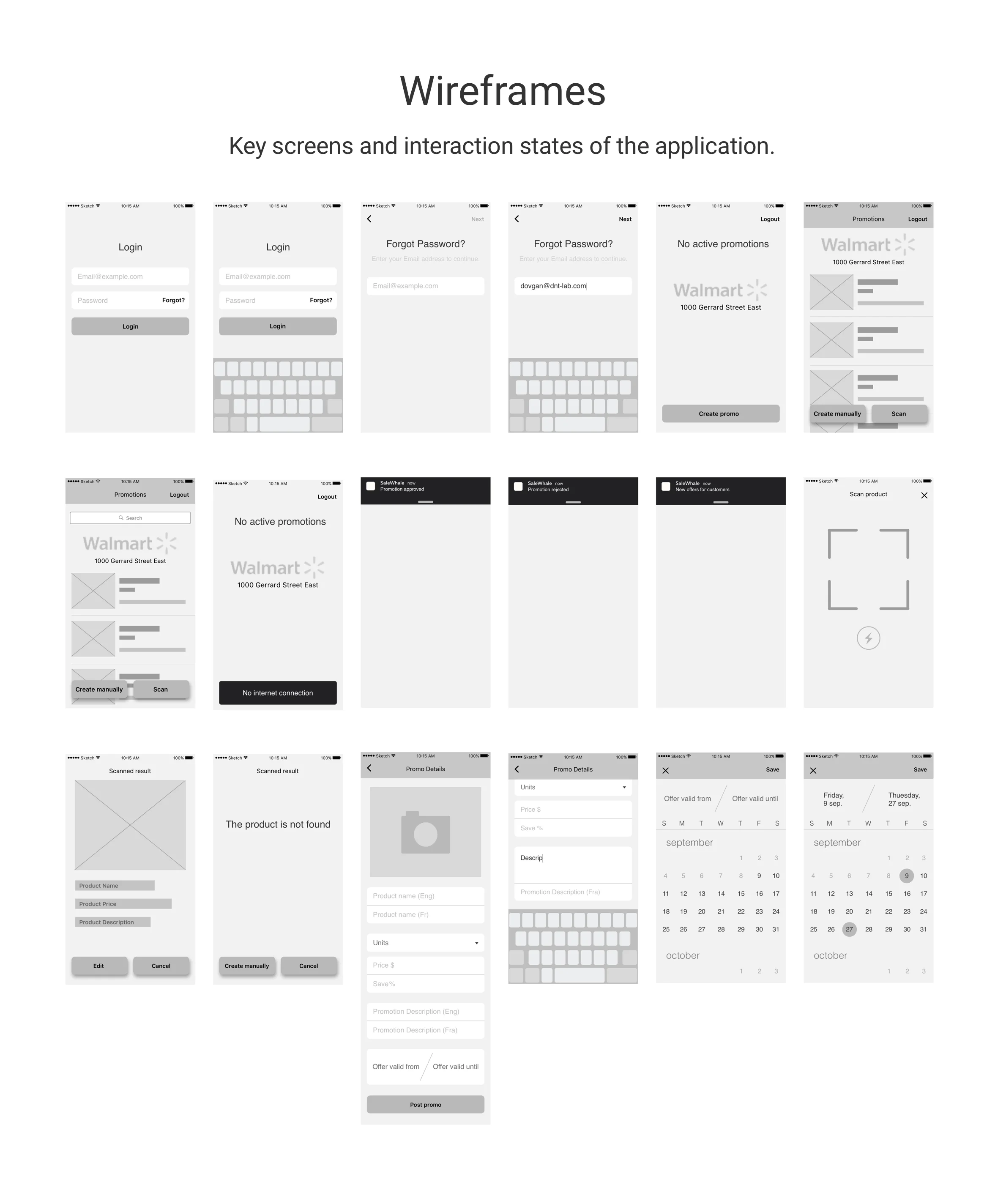
Wireframes translated the operational flow into the key states of the app. They covered login, password recovery, promotion lists, empty states, scanning, product identification, manual creation, promotion details, and date selection before the final visual design was applied.
Manager Experience
Accessing store promotions
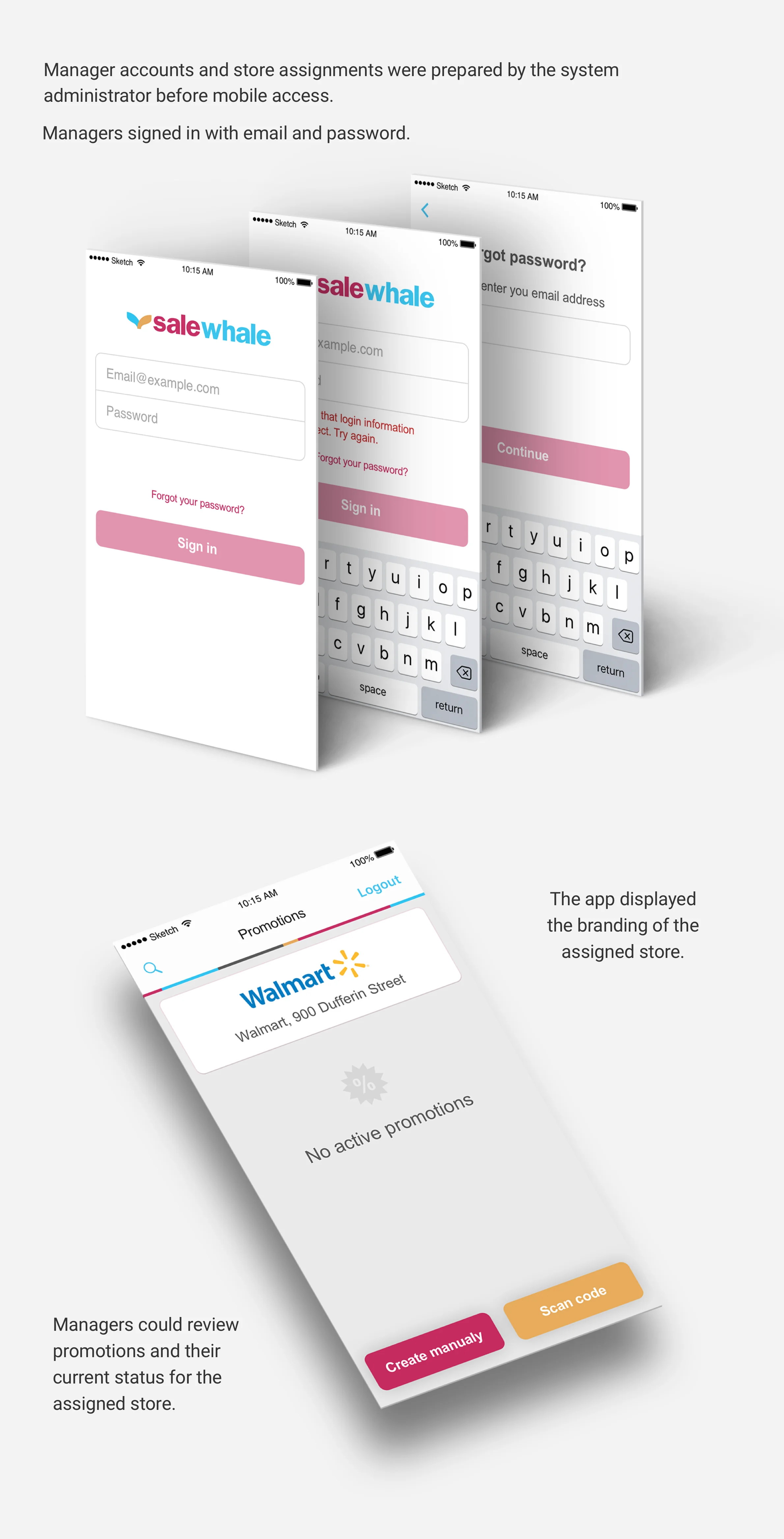
Managers signed in with an approved account and accessed the promotions associated with their assigned store. The promotion list provided an overview of current offers and their status, with options to create a promotion manually or scan a product barcode.
Product Identification
Identifying products by barcode
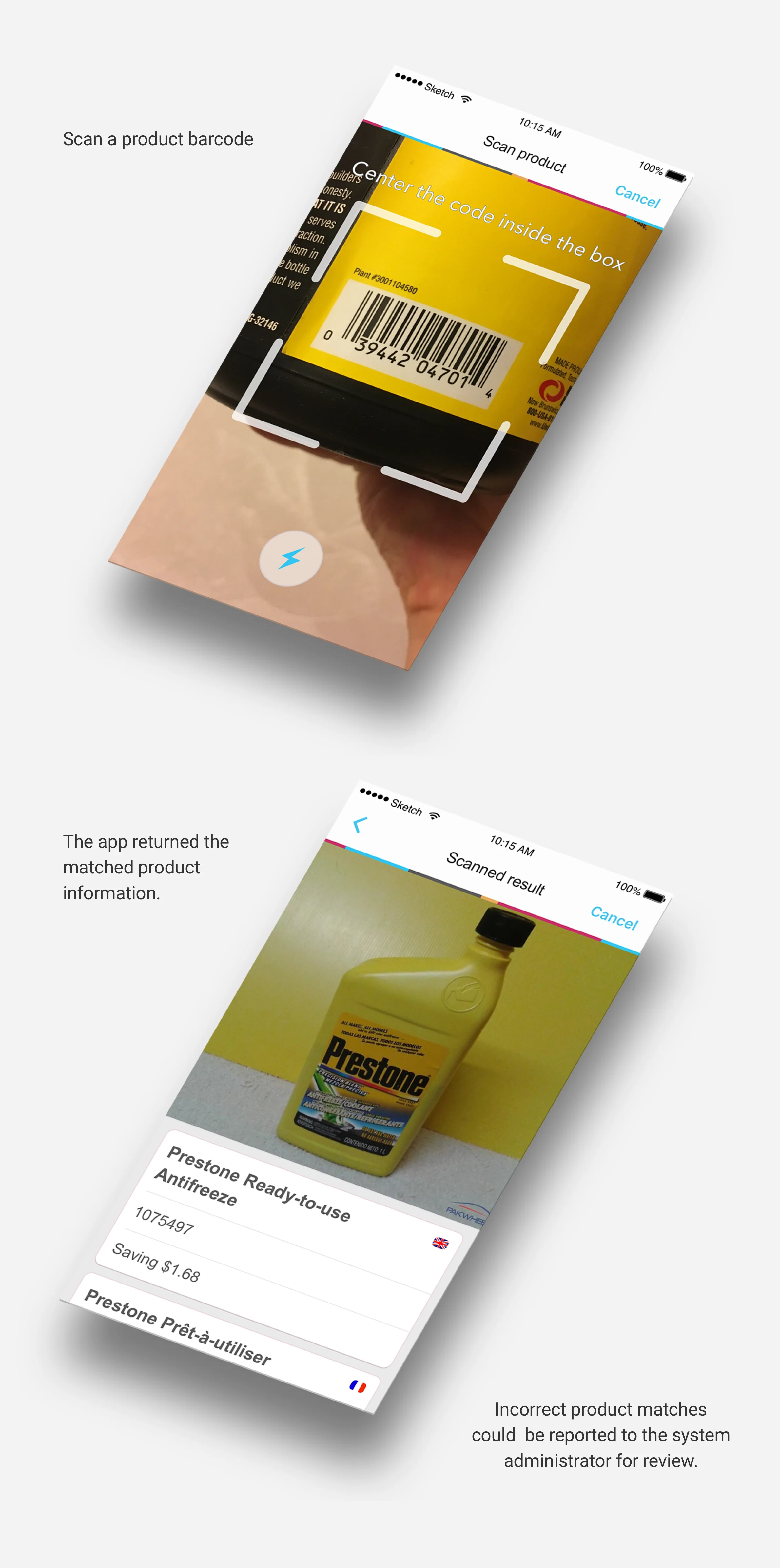
Managers could scan a product barcode to identify the corresponding item and retrieve its existing product information. If the identification was incorrect, the result could be reported for review by the system administrator.
Promotion Creation
Creating and submitting promotions
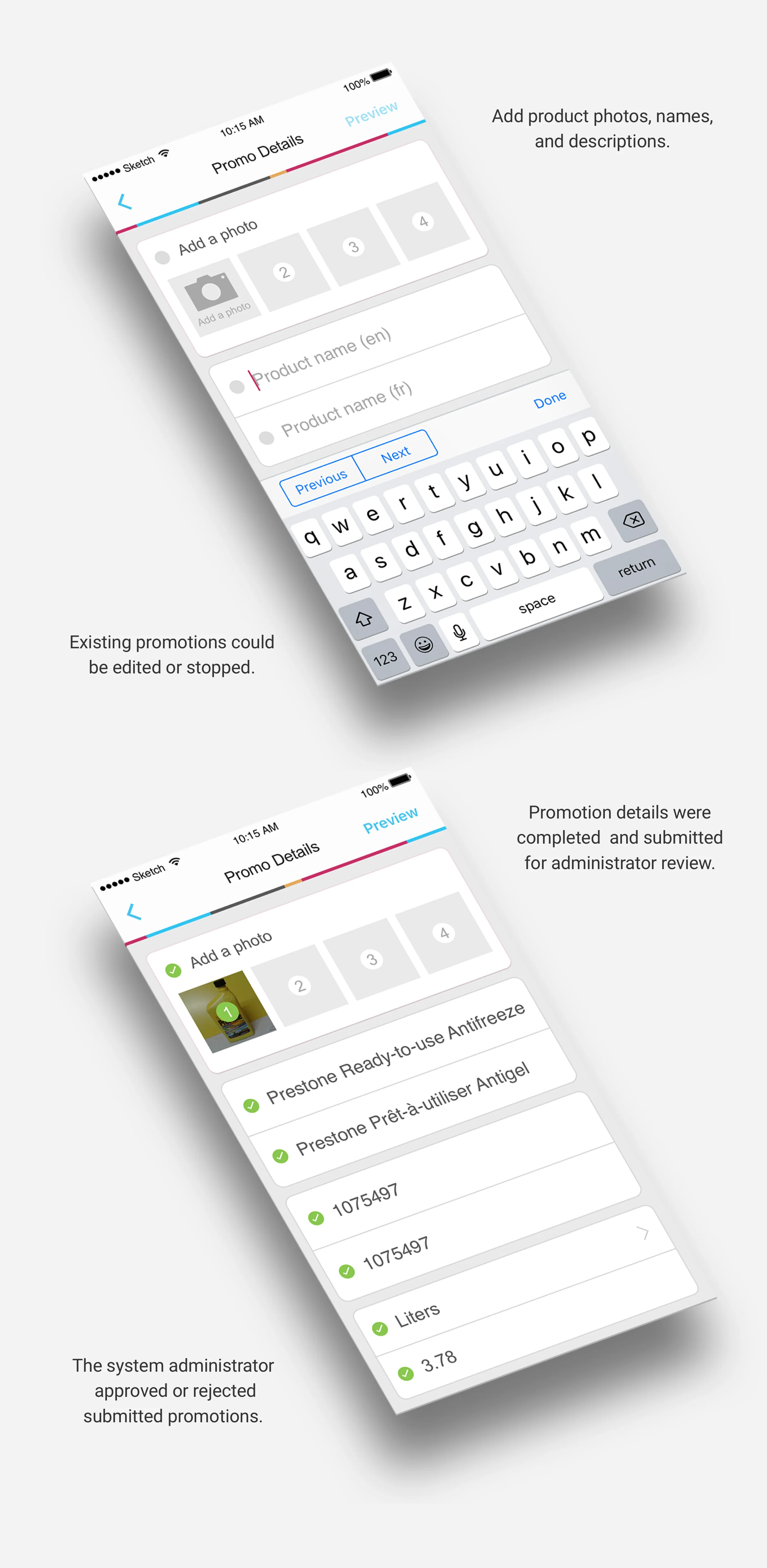
Managers could add product photos, names, descriptions, pricing, units, and promotion dates. Completed promotions were submitted for administrator review before becoming active in the system.
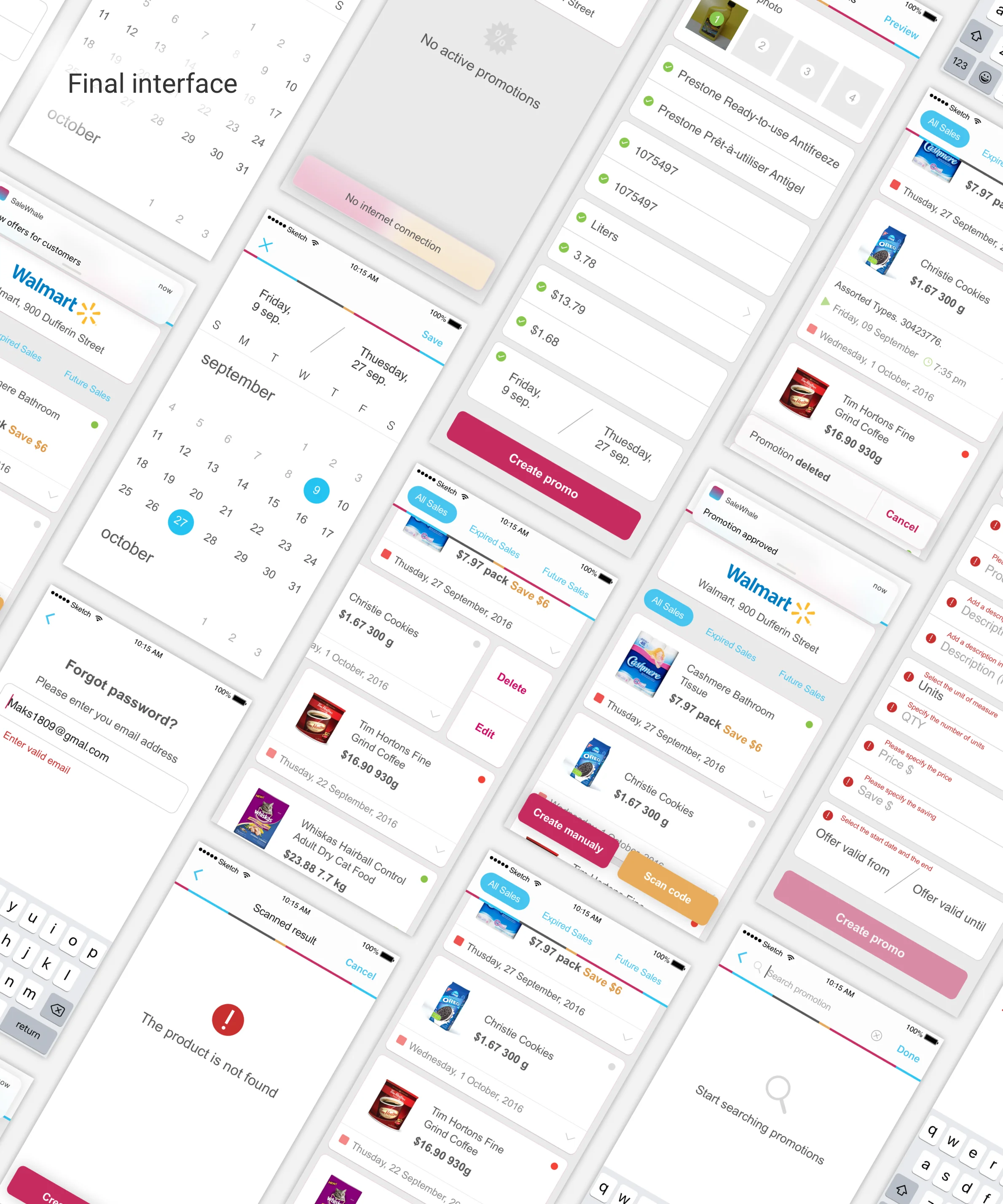
Final mobile interface covering promotion lists, scanning, product identification, date selection, manual creation, search, editing, validation states, and approval feedback.