2016
Cementech Thunderbolt
An iPad operational management system for concrete mixer jobs, materials, mix designs, and production summaries.
Role
UX/UI Designer
Platforms
iPad
Duration
2 weeks
Scope
UX Structure & Flows, UI Design, Visual Style, Interaction Design
About the Project
Cementech Thunderbolt was an iPad application for managing concrete mixer operations in the field. The product combined job tickets, customer and location details, material volumes, mix designs, attachments, signatures, pricing, and operational statistics within one interface designed for day-to-day use.
Challenge
Design a clear operational interface for managing concrete mixer jobs, materials, and production data from an iPad. The system needed to support detailed job information and specialized domain workflows while keeping frequent actions such as ticket management, material adjustments, and mix selection easy to access.
Approach
I designed the UX structure, user flows, wireframes, UI design, visual style, prototyping, and interaction design around the main operational tasks. The experience was divided into tickets, operation mode, summaries, and support, with dedicated workflows for job management, material quantities, mix designs, attachments, signatures, and reporting.
Outcome
The final product brought job management, concrete mix configuration, material tracking, operational statistics, customer records, and supporting documentation into one iPad workflow.
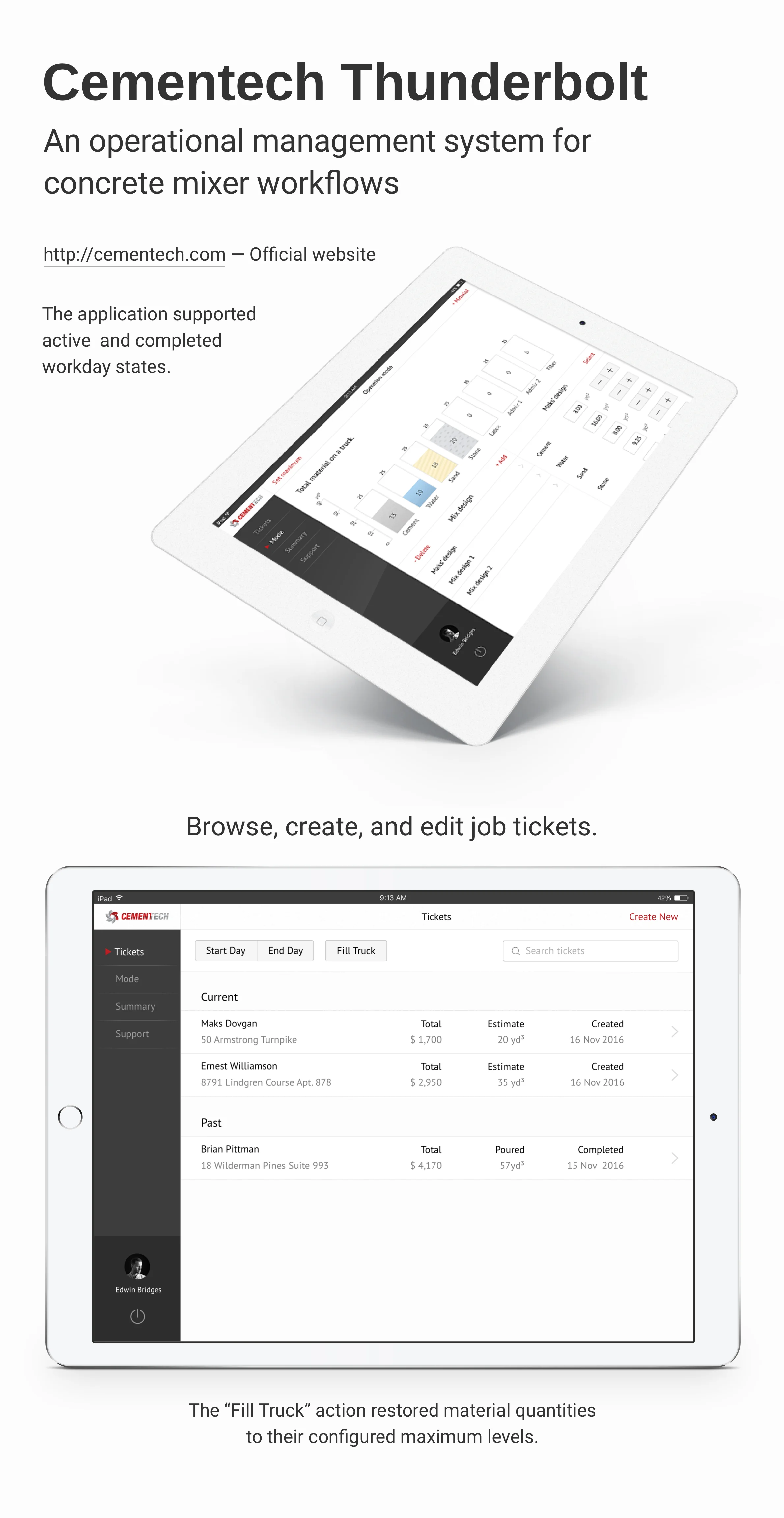
Product Overview
Managing concrete operations
Cementech Thunderbolt was designed as an operational tool for managing concrete mixer jobs from an iPad. The application combined ticket management, job status, material quantities, mix configurations, customer information, and production summaries within one field-oriented interface.
Job Management
Detailed job tickets
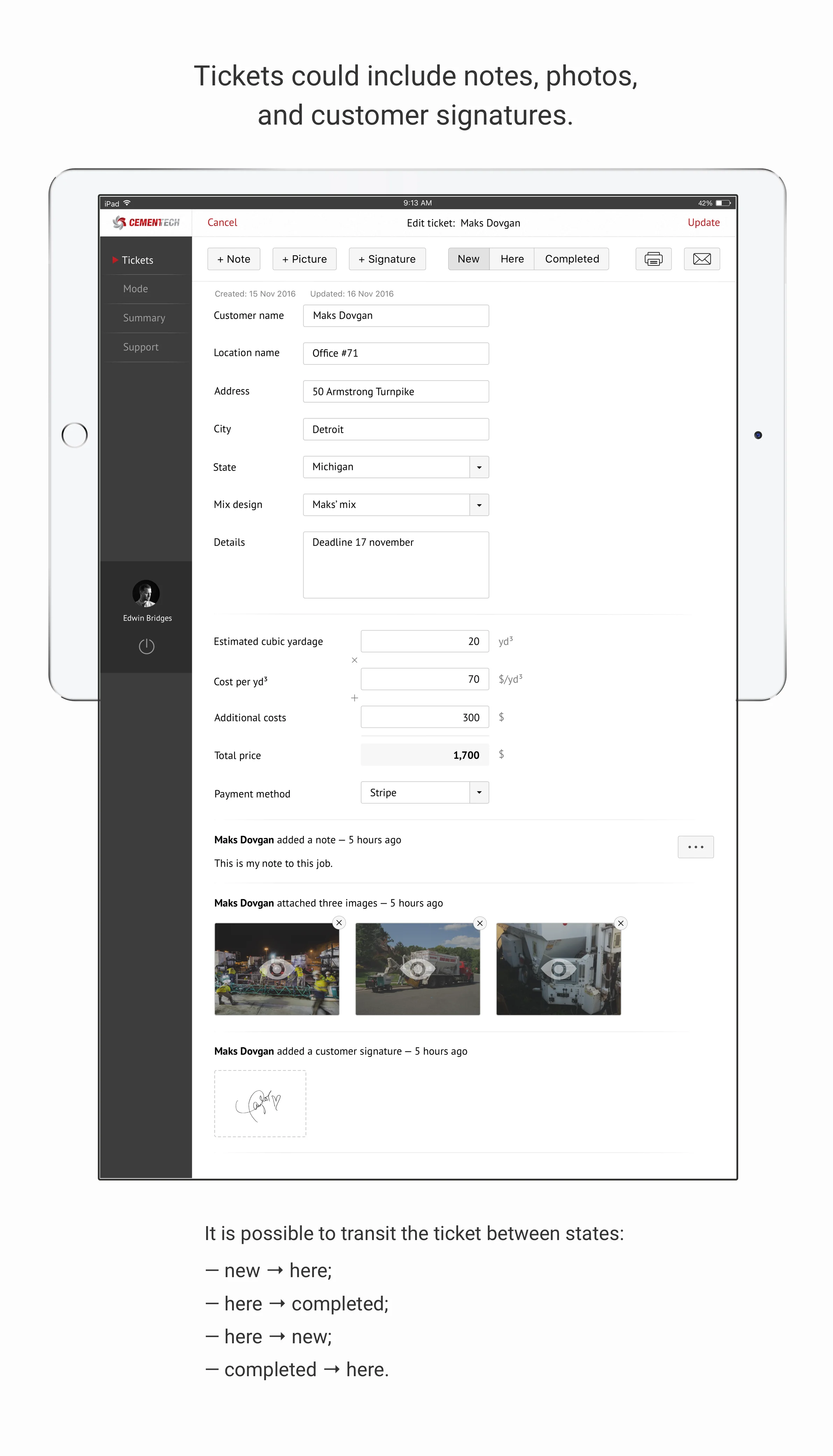
Each ticket contained customer and location information, mix selection, estimated volume, pricing, payment details, and supporting job information. Users could also attach notes, photos, and customer signatures directly to the ticket.
Workflow
Job status transitions
Tickets could move between different operational states as the job progressed.
The workflow supported transitions between new, on-site, and completed states, allowing the application to reflect the current stage of each job.
Reporting
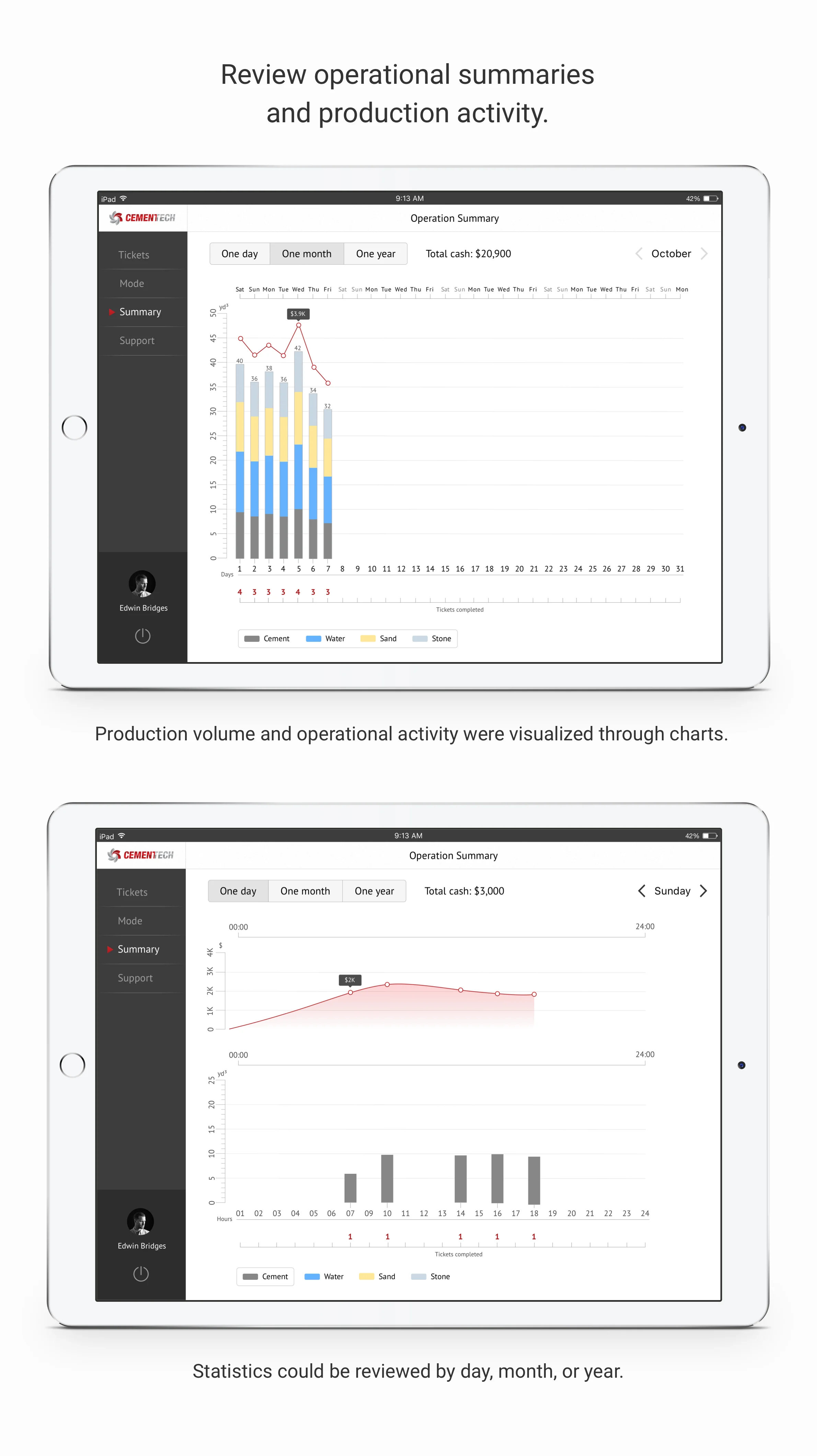
Reviewing operational performance
The application included operational summaries for reviewing completed work, total output, material usage, and related financial information. Users could switch between daily, monthly, and yearly periods to review production over different time ranges.
Materials
Tracking material volumes
Operation mode displayed the current amount of each material on the truck together with its maximum available capacity. Users could adjust maximum levels for materials such as cement, water, sand, stone, latex, admixtures, and fiber.
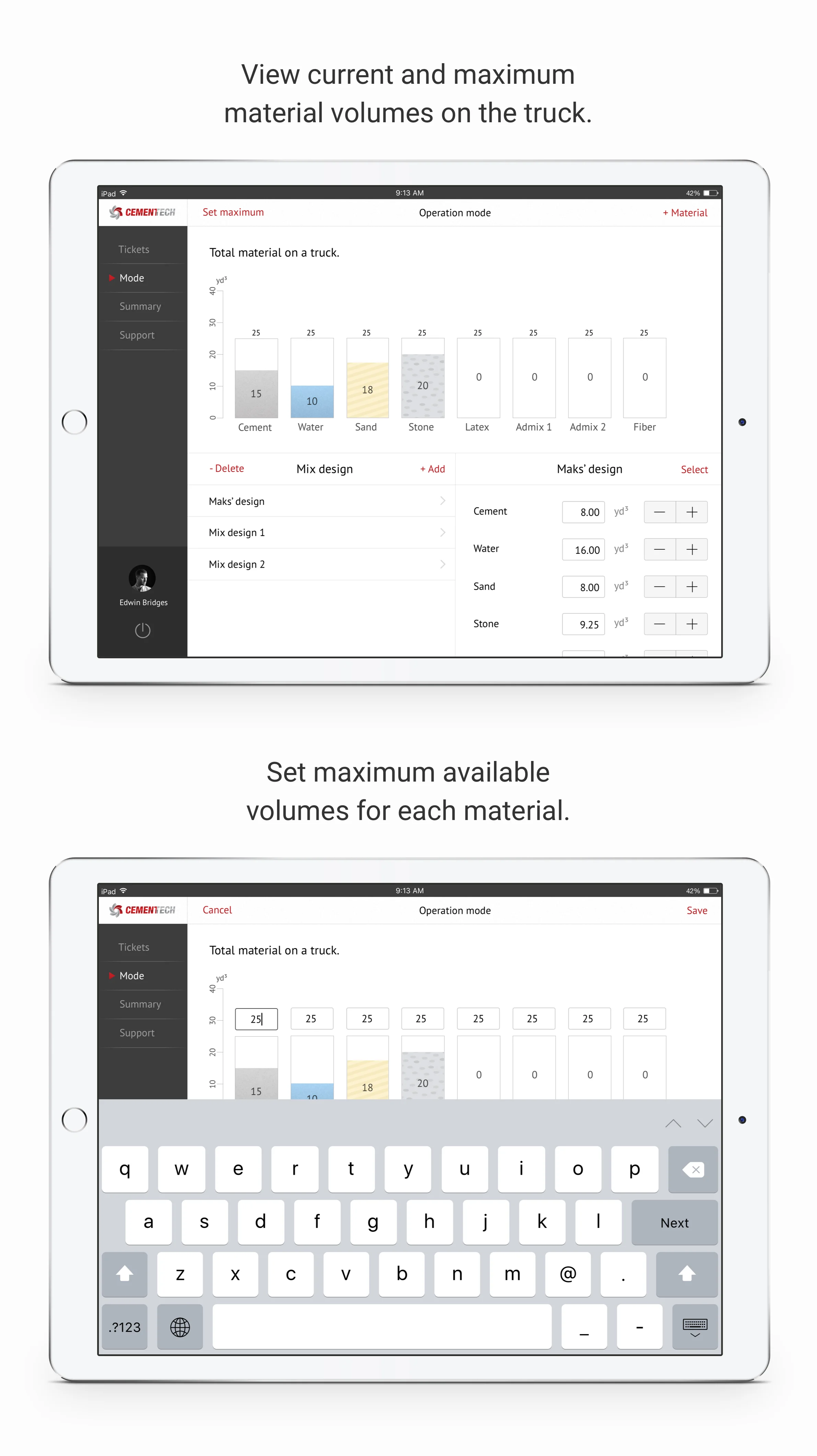
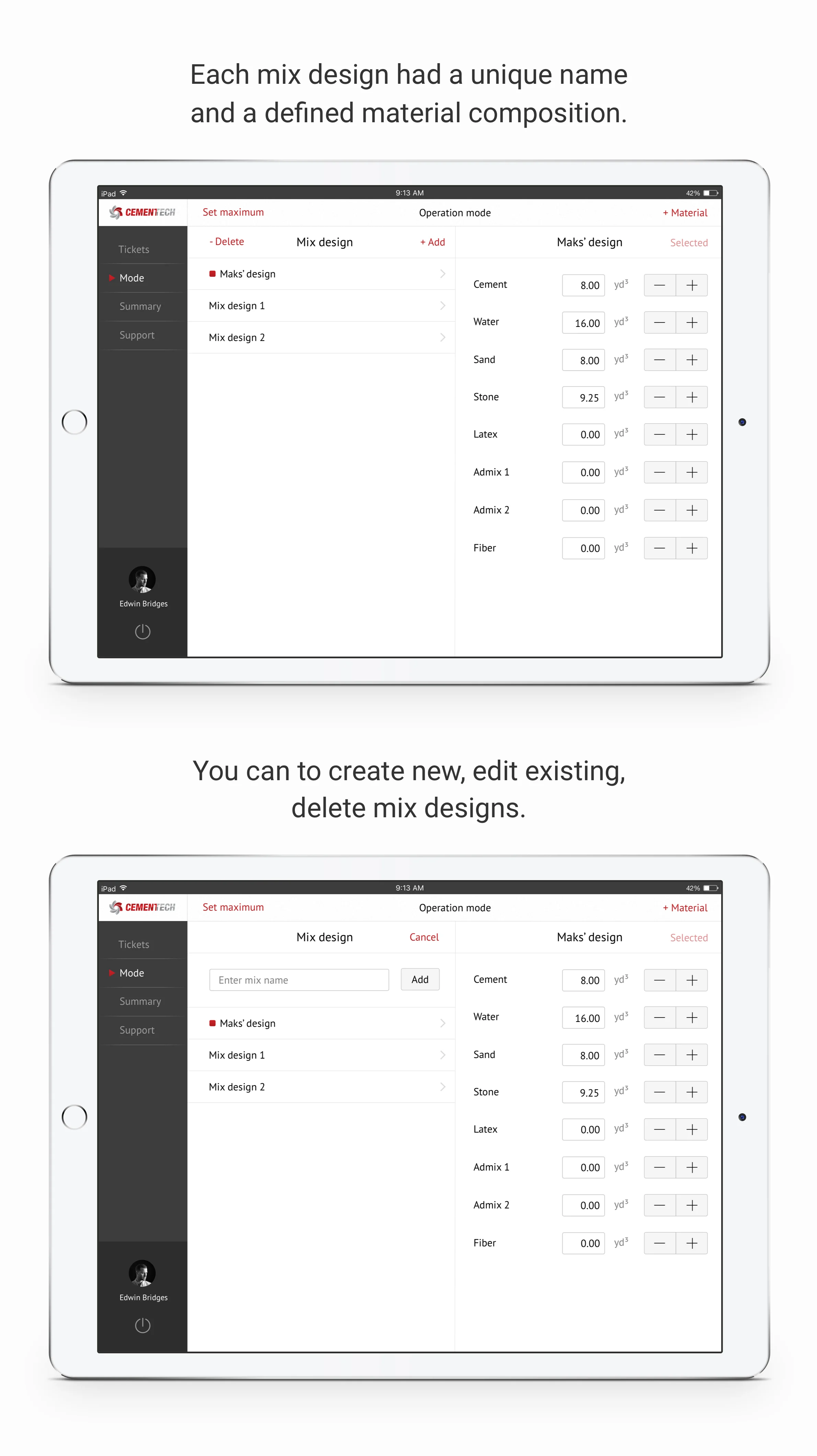
Mix designs could be selected, created, edited, or deleted, with individual quantities defined for each material.