2015
RSVPeazy
An iPhone app for creating events, sending invitations, and tracking RSVP responses through text messages.
Role
UX/UI Designer
Platforms
iPhone
Duration
3 days
Scope
UX Structure & Flows, UI Design, Visual Style, Interaction Design
About the Project
RSVPeazy was an event planning app designed to simplify invitations and RSVP tracking. Organizers could create an event, write an invitation, select guests, and send it through SMS or email. The app then tracked responses across accepted, rejected, and no-response states, helping organizers manage attendance without relying on social media, event websites, or additional apps for guests.
Challenge
Create a lightweight RSVP workflow that made event planning easier for organizers while keeping the guest experience simple. The product was built around a practical constraint: invitations and responses should work through familiar communication channels without requiring guests to download another app or depend on event Wi-Fi.
Approach
I designed the UX structure, user flows, wireframes, UI design, visual style, prototyping, and interaction design for the iPhone experience. The flow was organized around a small number of steps: create the event, write the invitation, select guests, send it, and monitor responses.
Outcome
RSVPeazy was developed as a real client product and released on iTunes in January 2015. The final application supported event creation, guest selection, invitation delivery, RSVP tracking, filtering, and response management within a single mobile workflow.
Product Overview
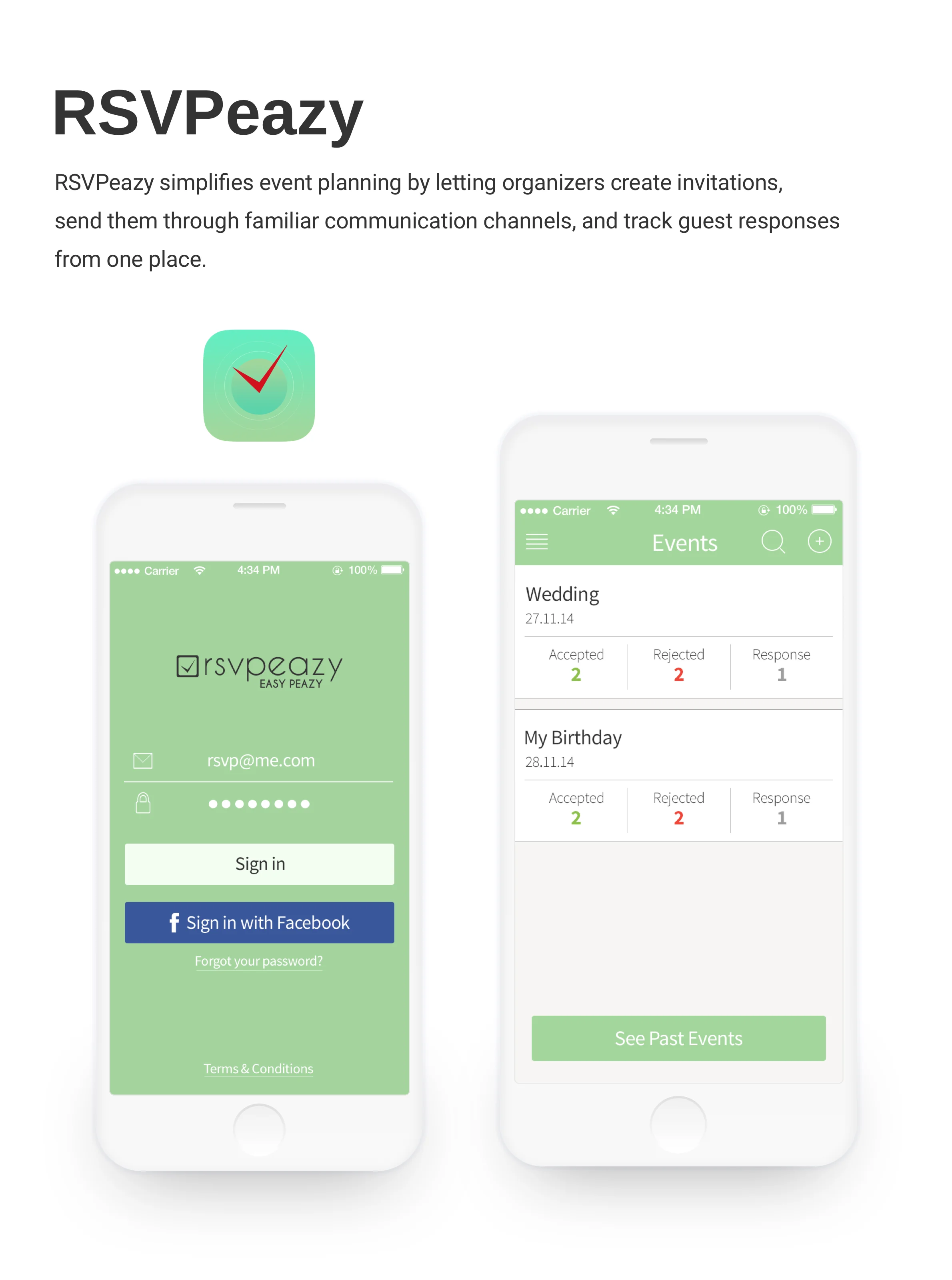
RSVP without extra friction
RSVPeazy was designed to make event invitations and attendance tracking simpler for both organizers and guests. Instead of relying on social media, event websites, or additional apps, organizers could create invitations and send them through familiar communication channels such as SMS and email.
Core Flow
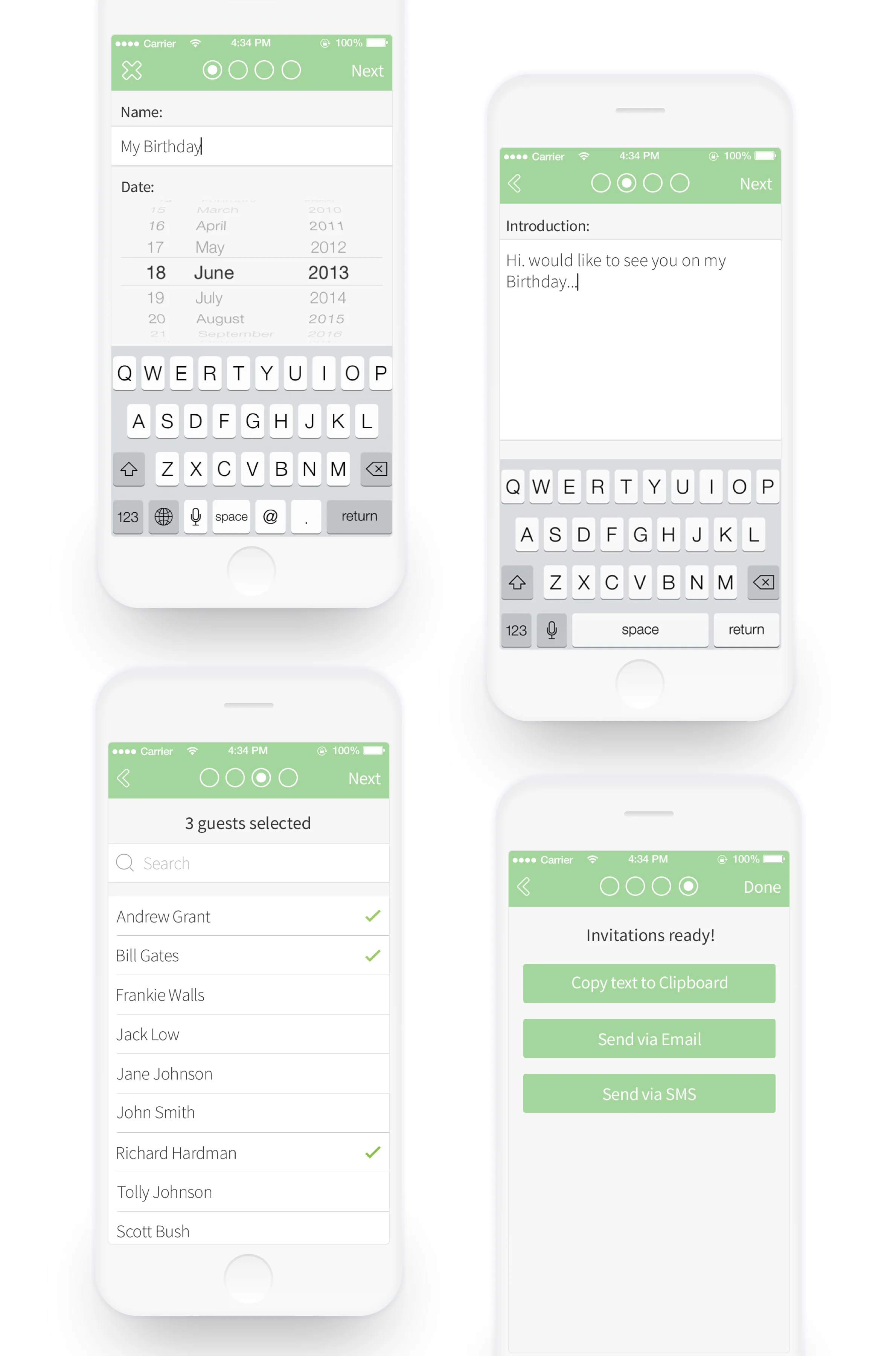
Creating an event in four steps
The event creation flow was structured as a short sequence: define the event, write the invitation message, select guests, and choose how to send it. The final step supported multiple delivery options, including SMS and email.
Response Management
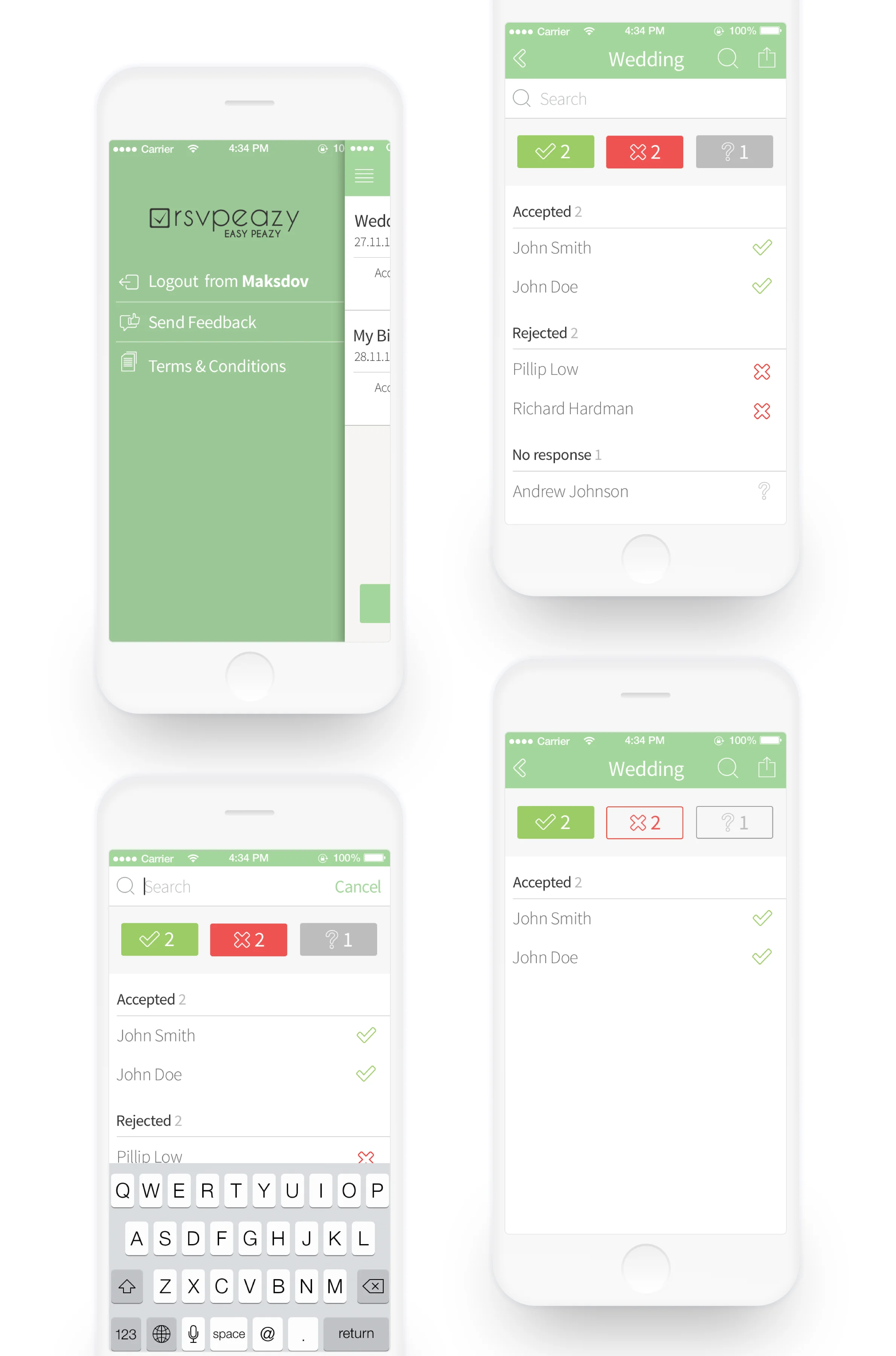
Tracking RSVP status
After invitations were sent, organizers could monitor responses directly from the event. Guests were grouped into accepted, rejected, and no-response states, with search and filtering available for larger invite lists.