2016
123Tix
An iOS event management system for ticket sales, attendee check-in, QR code validation, payments, and ticket printing.
Role
UX/UI Designer
Platforms
iPhone, iPad
Duration
30 days
Scope
UX Structure & Flows, UI Design, Prototyping, Interaction Design
About the Project
123Tix was an iOS event management product covering both event entry and ticket sales. The system included event and attendee management, QR code scanning, ticket validation, ticket information, purchasing and payments, printer configuration, and physical ticket printing across iPhone and iPad interfaces.
Challenge
Design a clear event workflow that could support several operational tasks: finding an event, checking attendee information, validating tickets at entry, processing purchases, and printing tickets. The scanner also needed to communicate different ticket states immediately during check-in, including valid, invalid, and previously used tickets.
Approach
The product experience was structured around distinct operational flows for event staff and ticket sales: event selection, attendee lookup, ticket scanning and validation, purchasing, payment, and printing. Clear status feedback was especially important during scanning, where staff needed to understand the result of a ticket check immediately.
Outcome
123Tix was launched as a real event ticketing product and remained in active use after the original 2016 design work. The platform continues to operate today, while the current product and scanner interface have since been redesigned and expanded. The original work covered core event-management flows including attendee check-in, QR ticket validation, event browsing, ticket sales, payments, and printing.
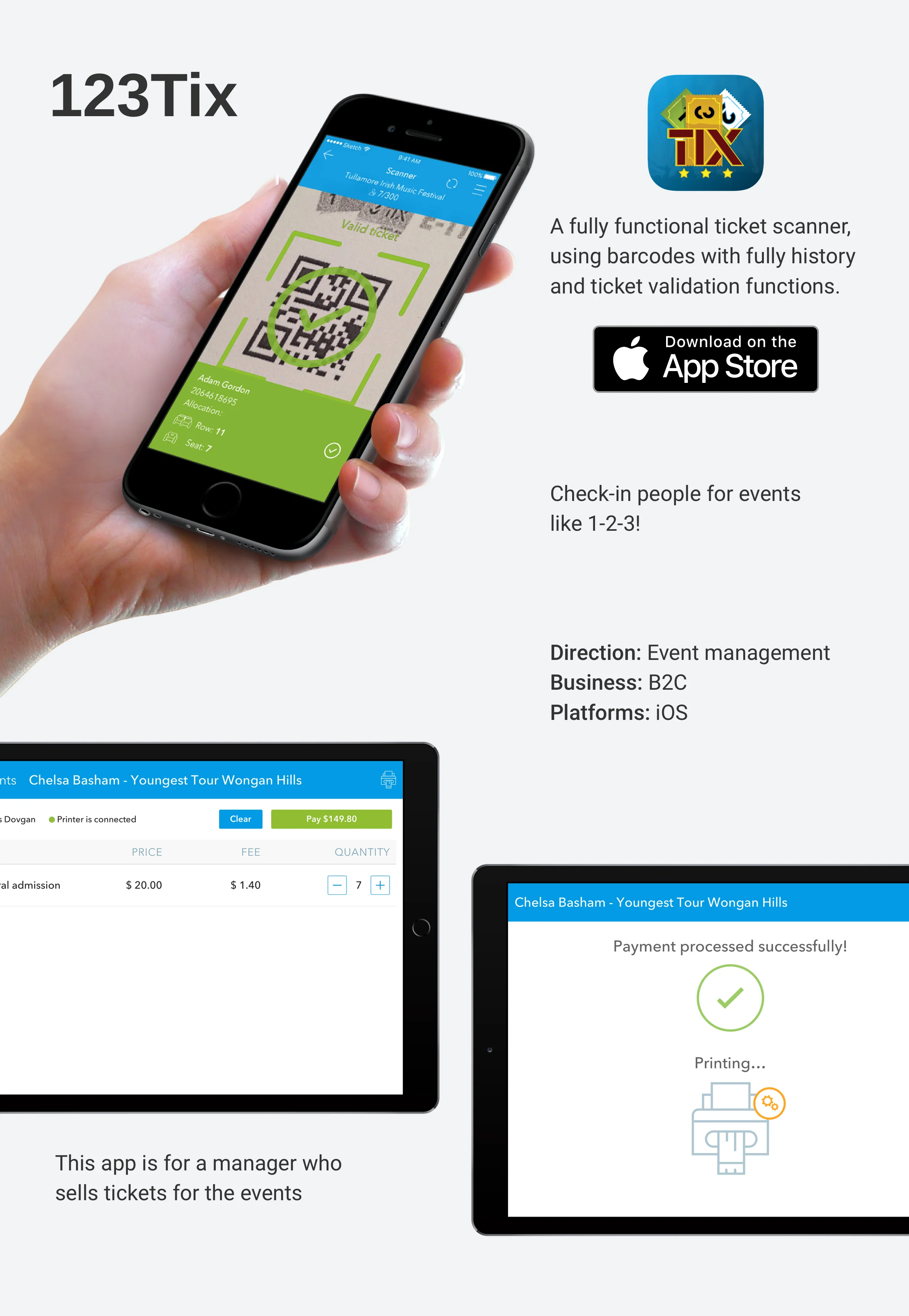
Product Overview
Event management on mobile
123Tix combined ticket validation and event operations across iPhone and iPad. The mobile scanner supported attendee check-in and ticket validation, while the larger-screen experience covered event browsing, ticket sales, payments, and printing.
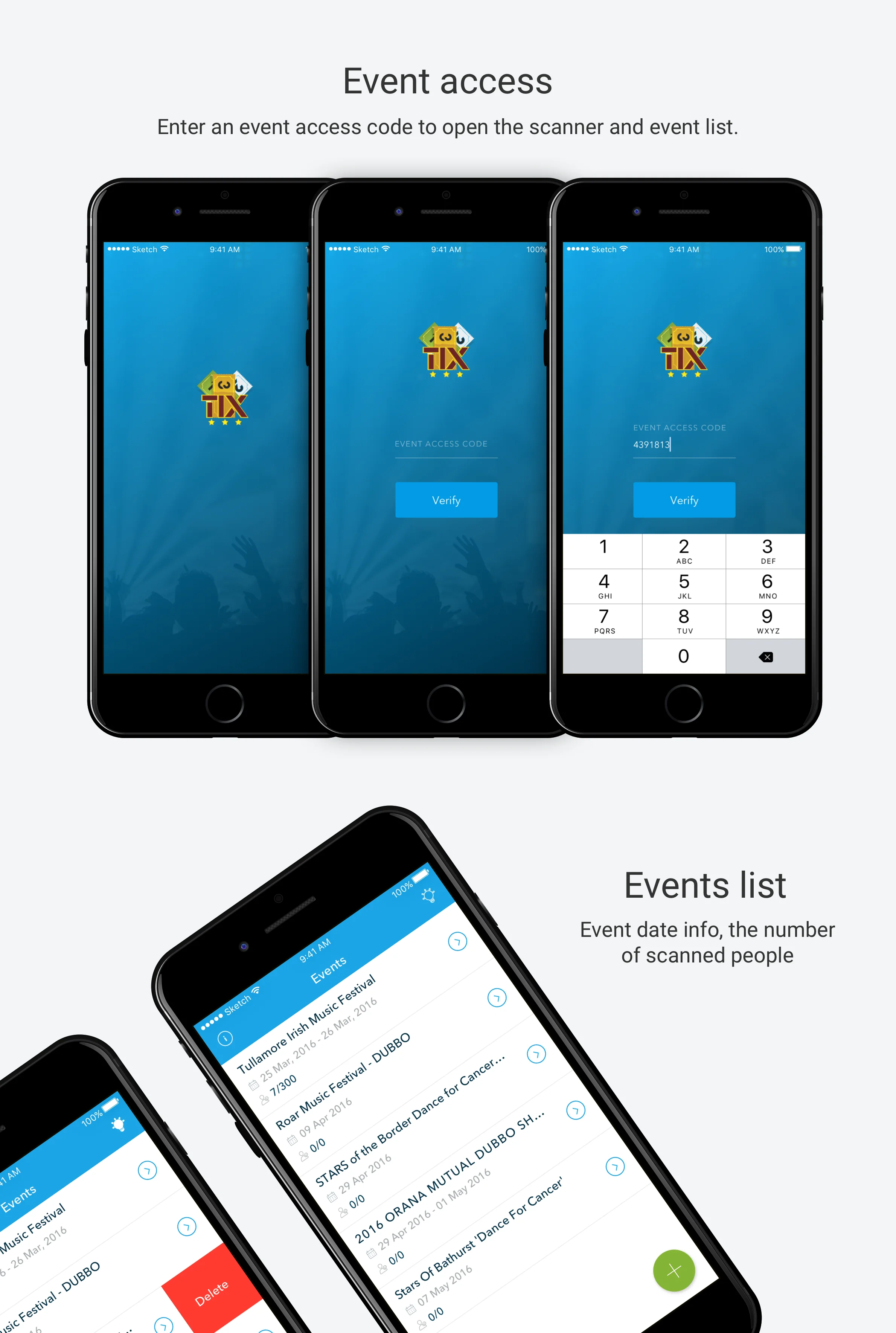
Event access and event selection for scanning and check-in.
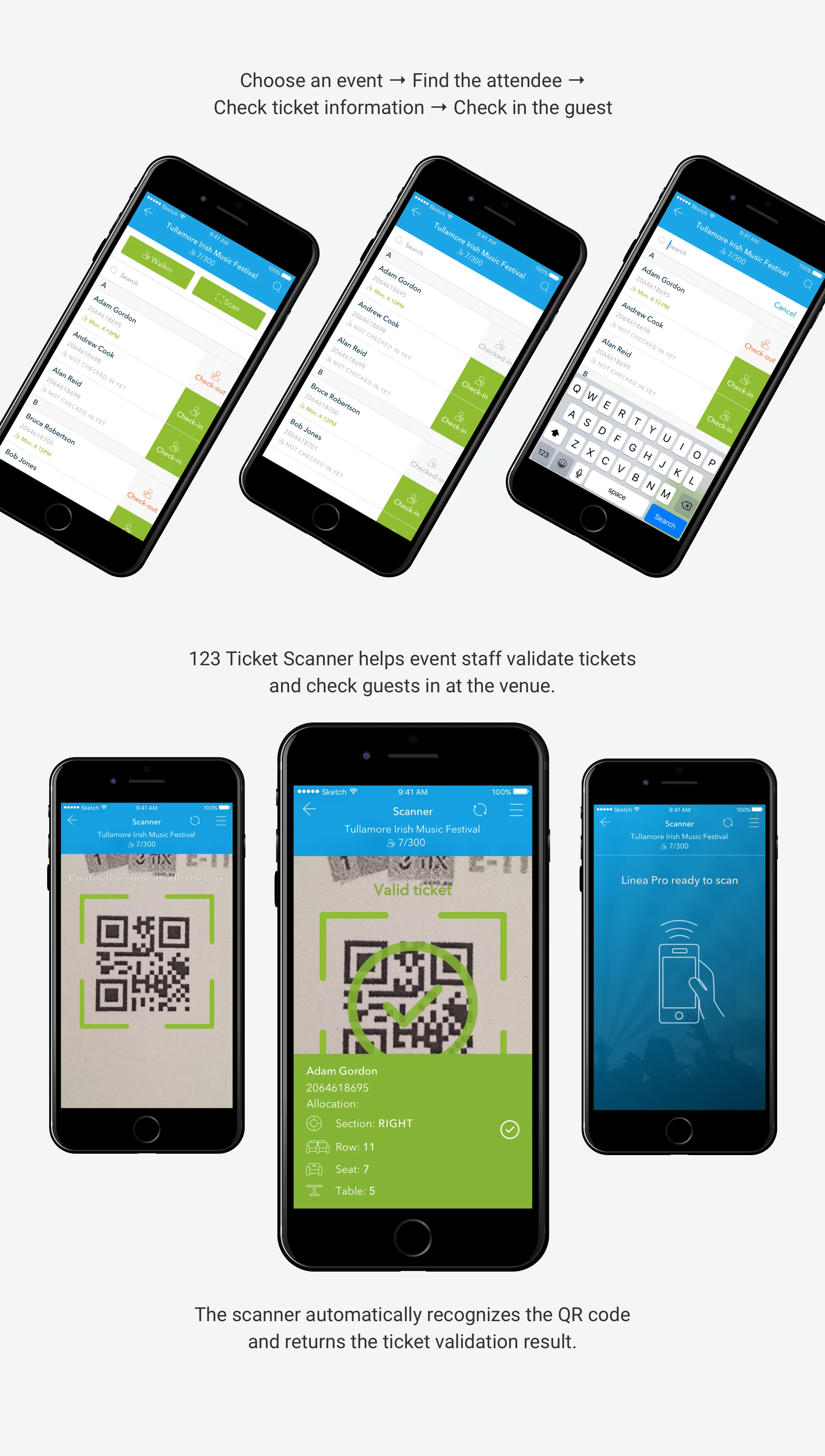
Check-in Flow
From attendee lookup to ticket validation
Event staff could select an event, view the attendee list, search for a guest, check their status, and validate the ticket at entry. The scanner used the device camera to recognize QR codes and return the corresponding ticket and attendee information.
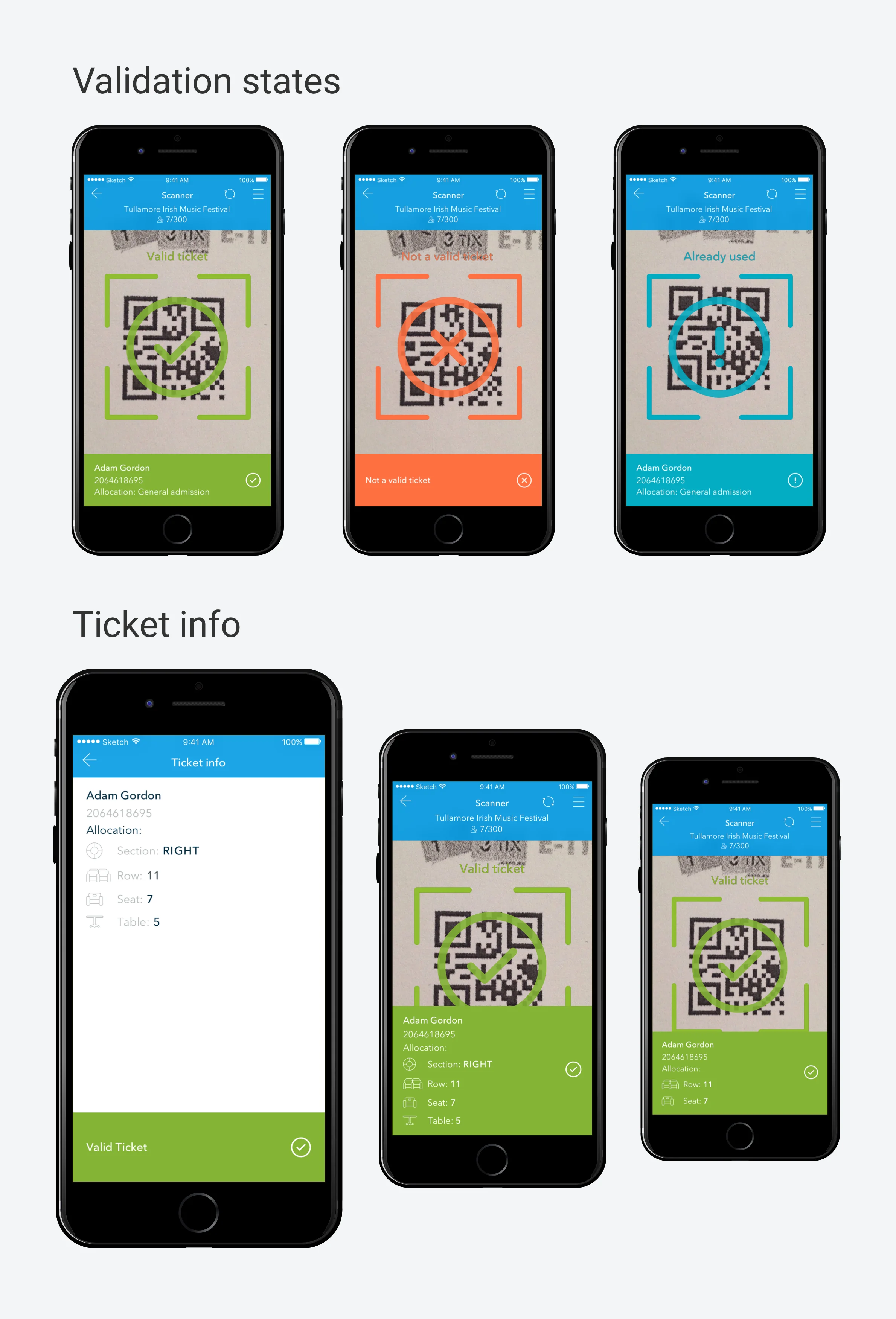
Distinct visual states for valid, invalid, and previously used tickets, with attendee and allocation details.
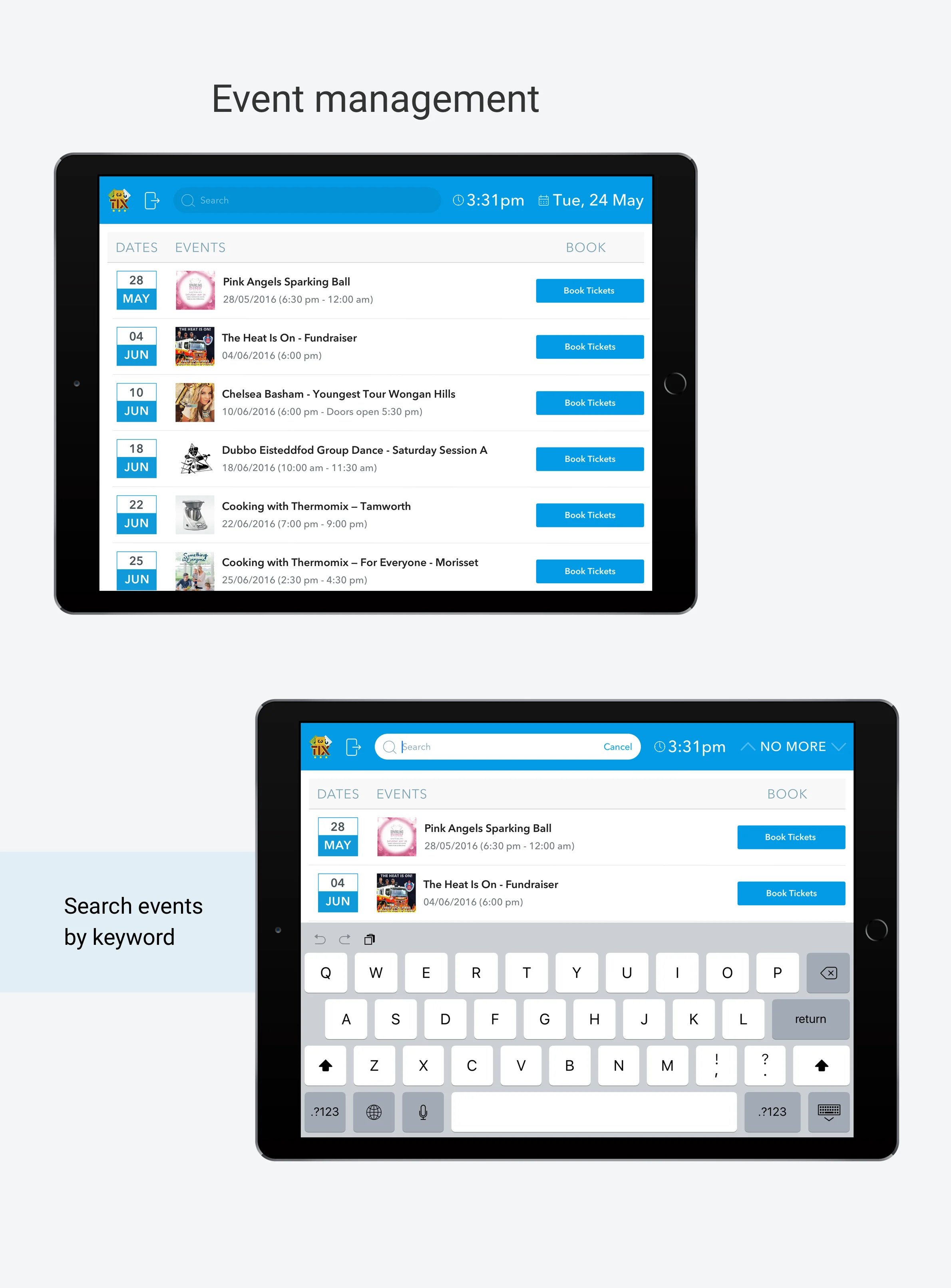
Manager Experience
Finding and managing events
The iPad experience gave managers access to upcoming events and event search. Events could be found directly from the list or through keyword search, providing a larger-screen interface for day-to-day ticket operations.
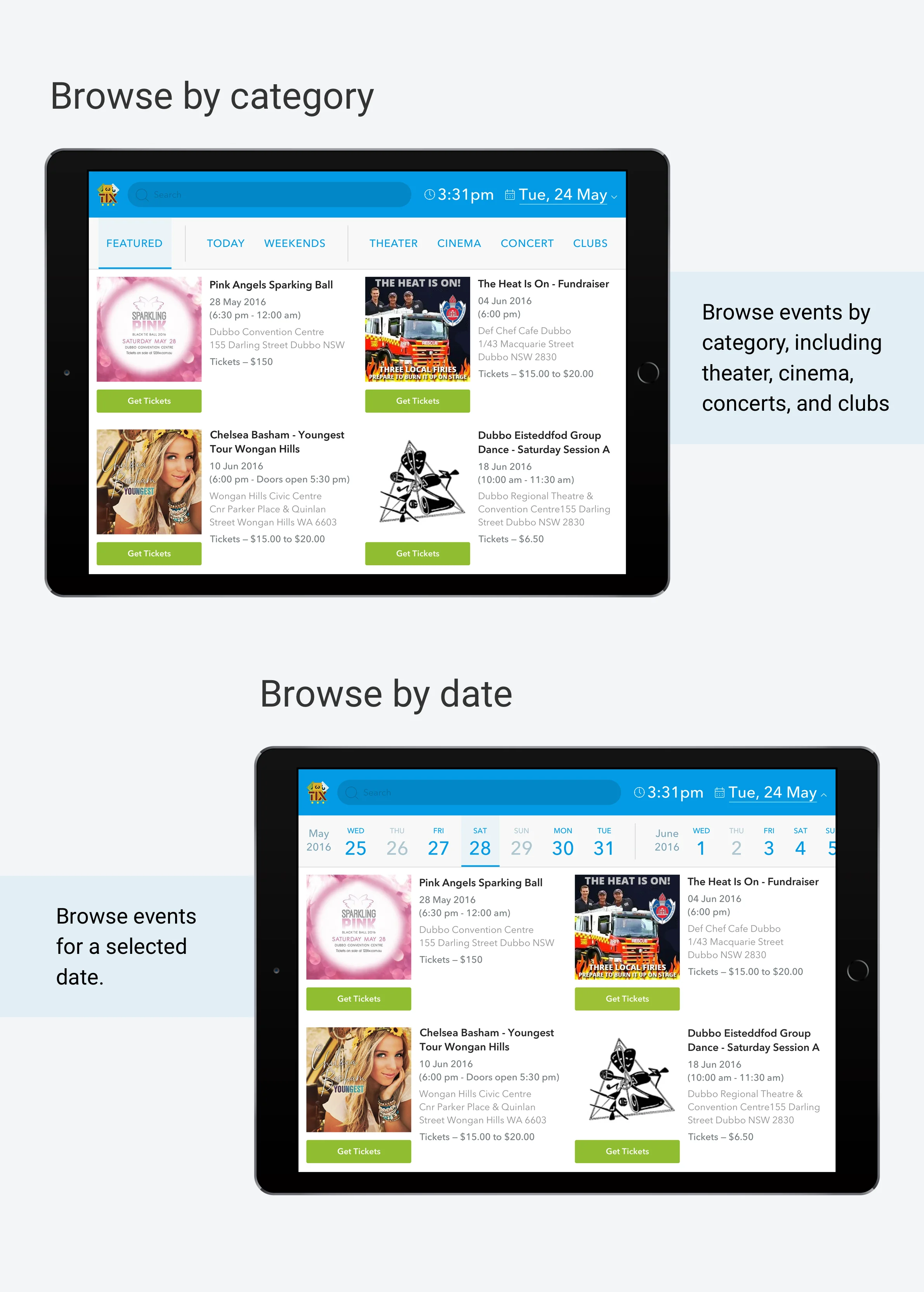
Event discovery by category and calendar date.
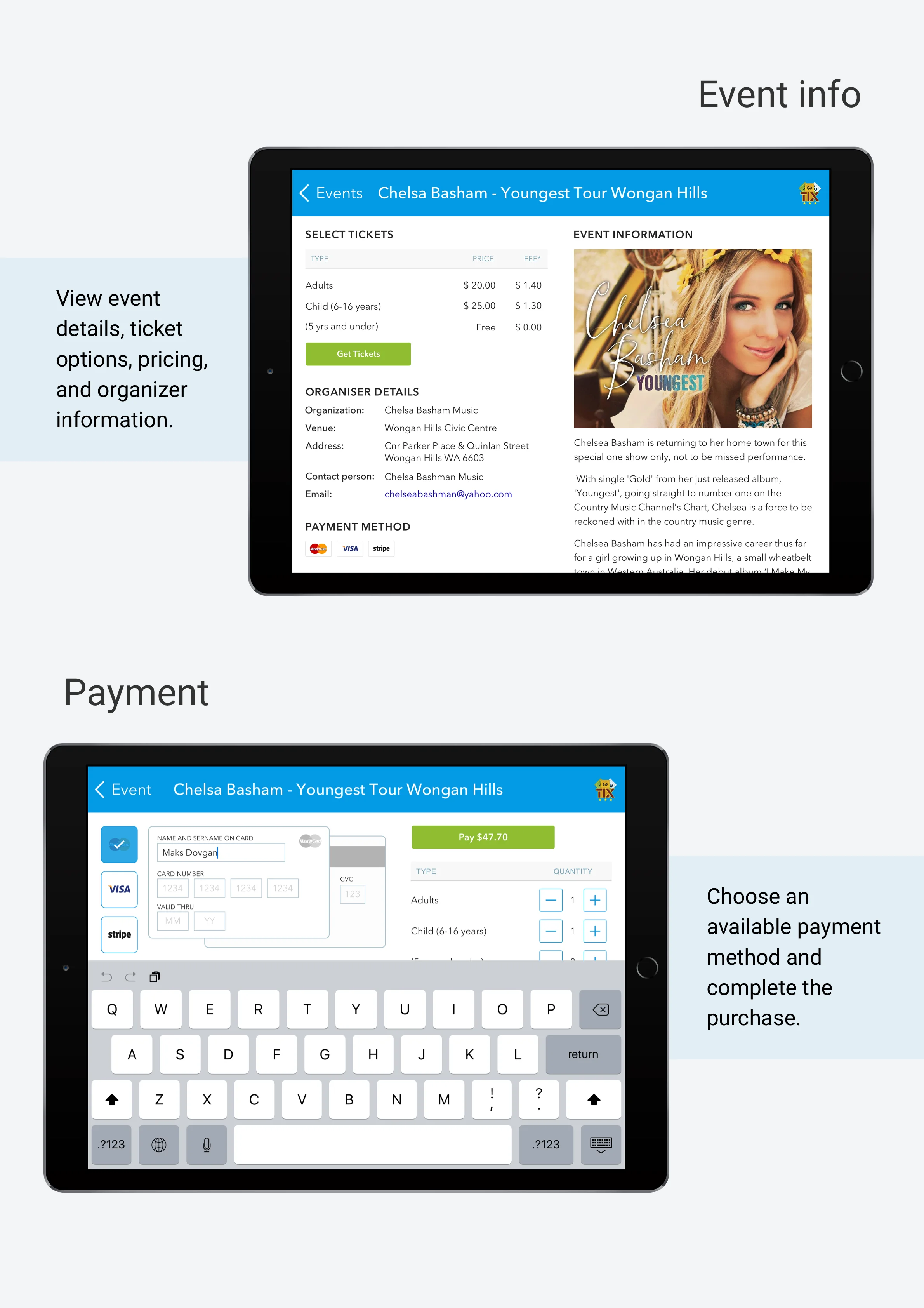
Ticket Purchase
From event details to payment
The purchase flow brought event information, ticket types, pricing, organizer details, and payment options into a single experience. Users could select ticket quantities and complete payment directly from the iPad interface.
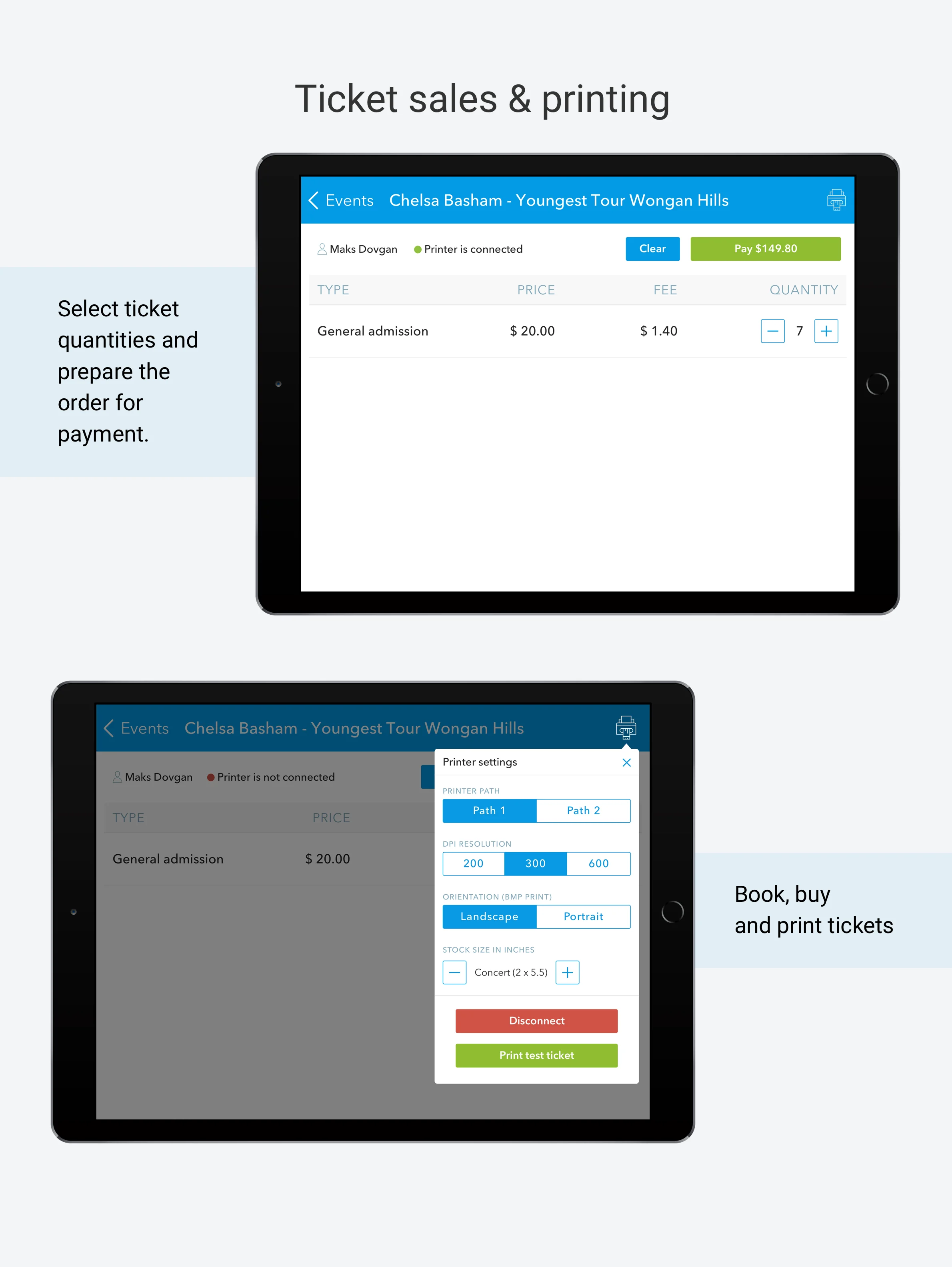
Ticket selection, printer connection, print settings, and test printing.
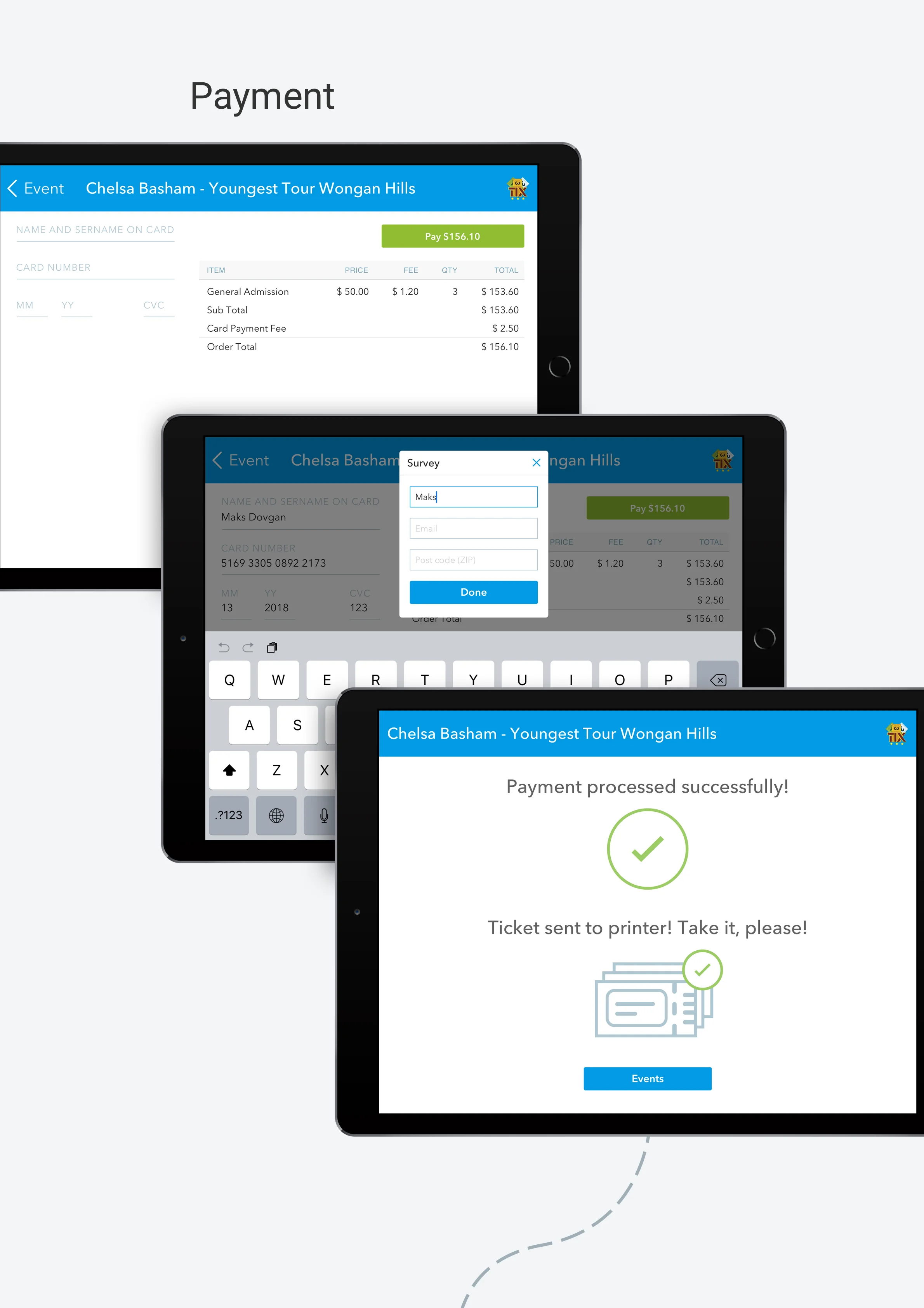
Payment flow from card details to successful processing and ticket printing.
Ticket Output
From digital purchase to printed ticket
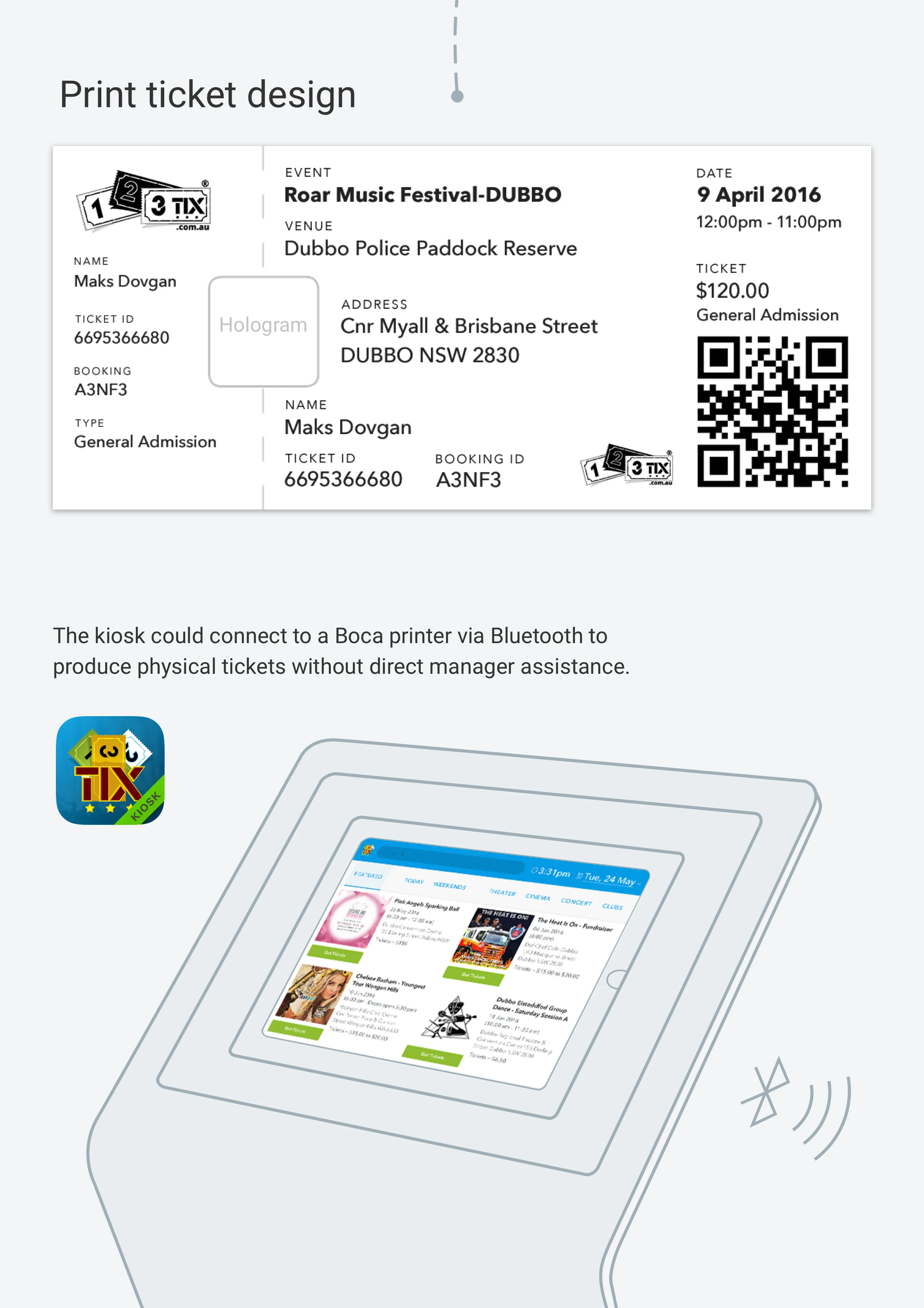
The system extended beyond the screen into physical ticket output. The kiosk concept included Bluetooth printer connectivity and a dedicated printable ticket layout containing event, booking, attendee, and QR code information.
Outcome
Still in use today
123Tix was launched as a real event ticketing product and remained in active use after the original 2016 design work. The platform continues to operate today, although the current product and scanner experience have since been redesigned and expanded.
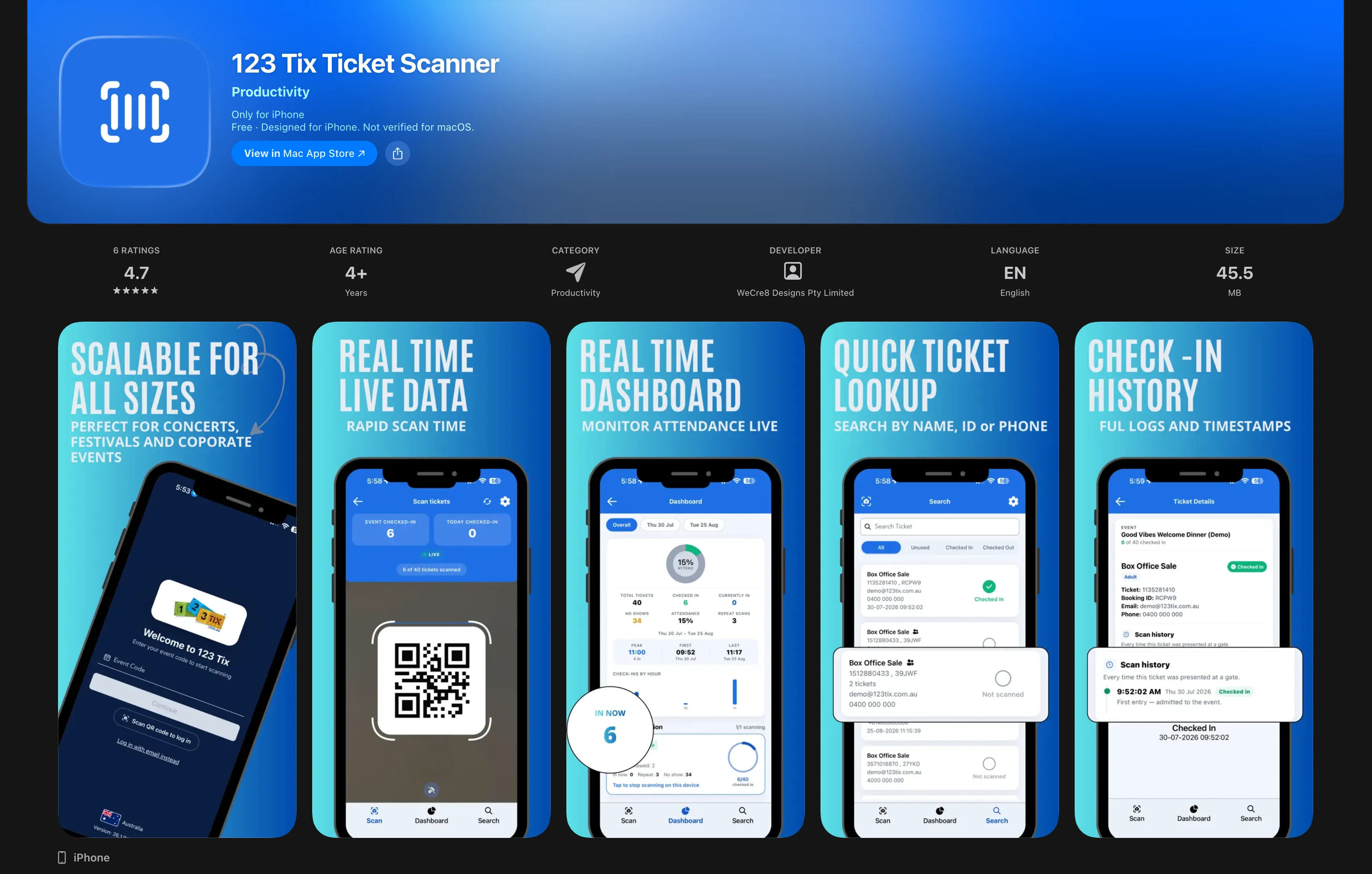
123 Tix Ticket Scanner, current App Store version.